


step 1
Connect your wallet
On Hyperliquid, your wallet acts as your account.
The fastest way to start is Email login: the system creates a wallet automatically.
Click Connect in the top right corner, then choose Email login.
 1. Click Connect
 2. Choose Email login - this is the fastest way to get started No signup. No password. Wallet is created automatically.After login, you're ready to add funds.
step 2
Add funds
You need USDC to start trading on Hyperliquid.
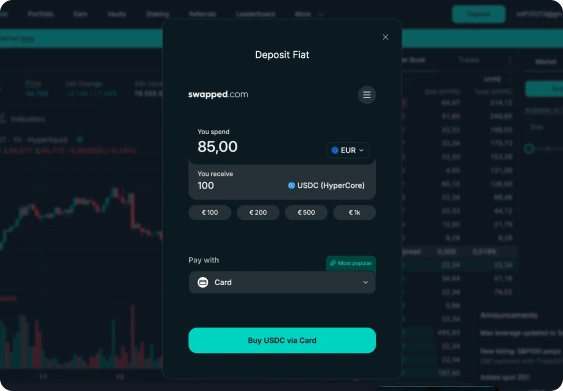
The fastest and simplest way is to buy USDC directly with a card.
Use card deposit to get USDC instantly.
Recommended
1. Buy USDC with card
Fastest and easiest way to add funds.
- Buy USDC instantly
- Pay with Visa, Mastercard, Apple Pay, etc.
- Funds arrive in your account and are ready to trade.
Alternative
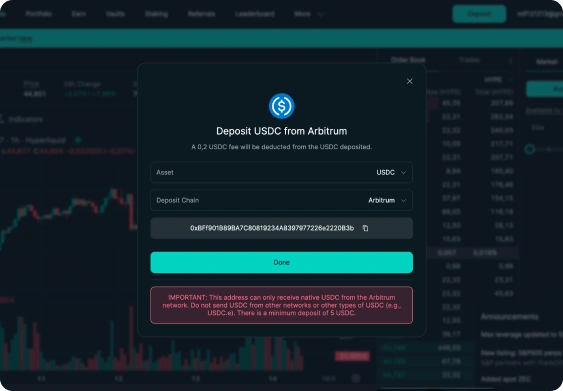
2. Deposit USDC from your wallet
Already have crypto? Deposit on-chain.
- Send USDC from any wallet
- Works on Arbitrum
- Finality in ~1-2 minutes
step 3
Switch to Perps
This is where you open trades (Long / Short)
Market selector
Click the market selector and switch from Spot to Perps.
Now the Buy / Sell panel for Long / Short trading will appear.
- 1Click market selector
- 2Switch to Perps
- 3Buy / Sell (Long / Short) appears
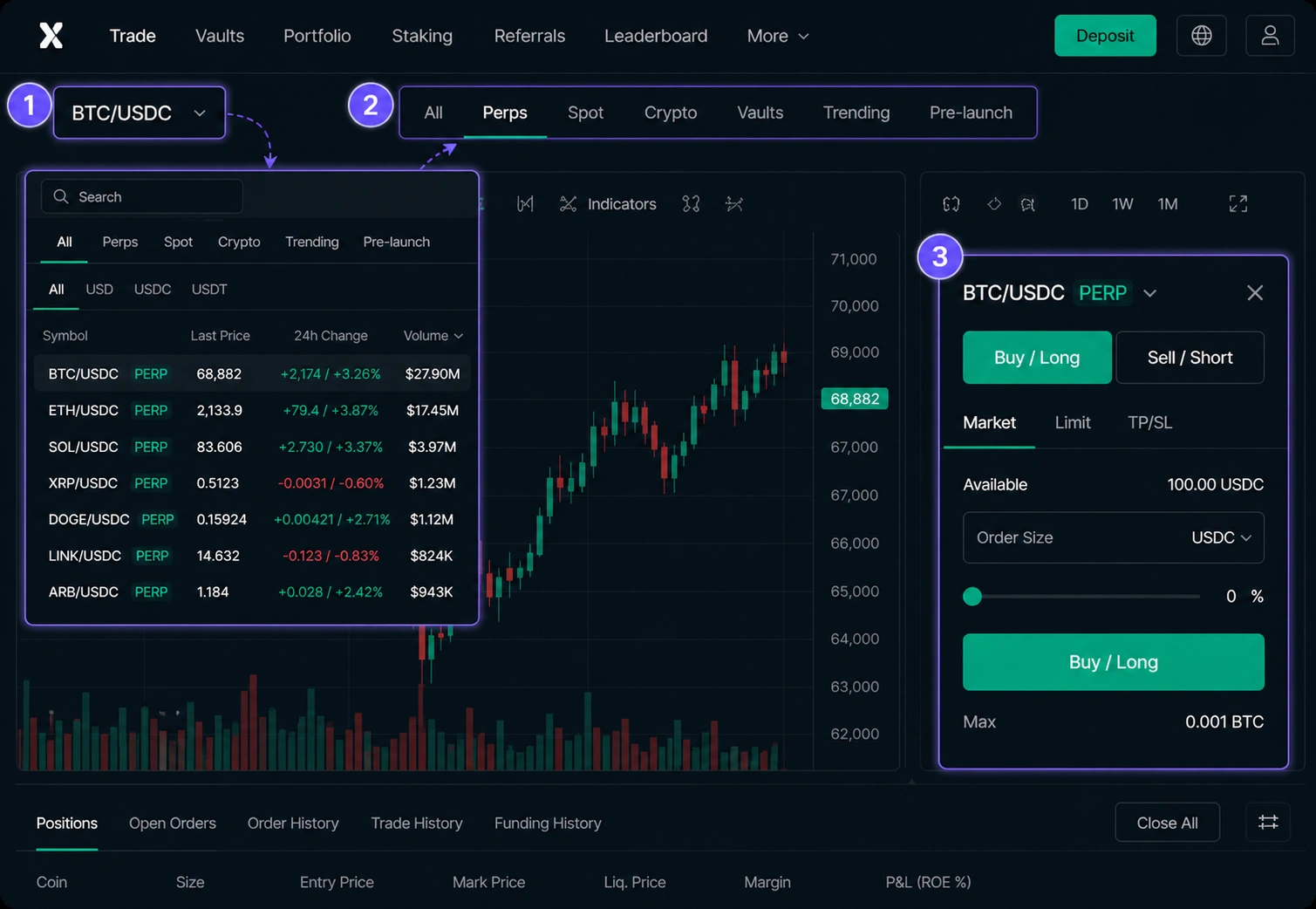
Perps are perpetual futures. This is where you can open Long or Short with leverage.
step 4
Open your first position
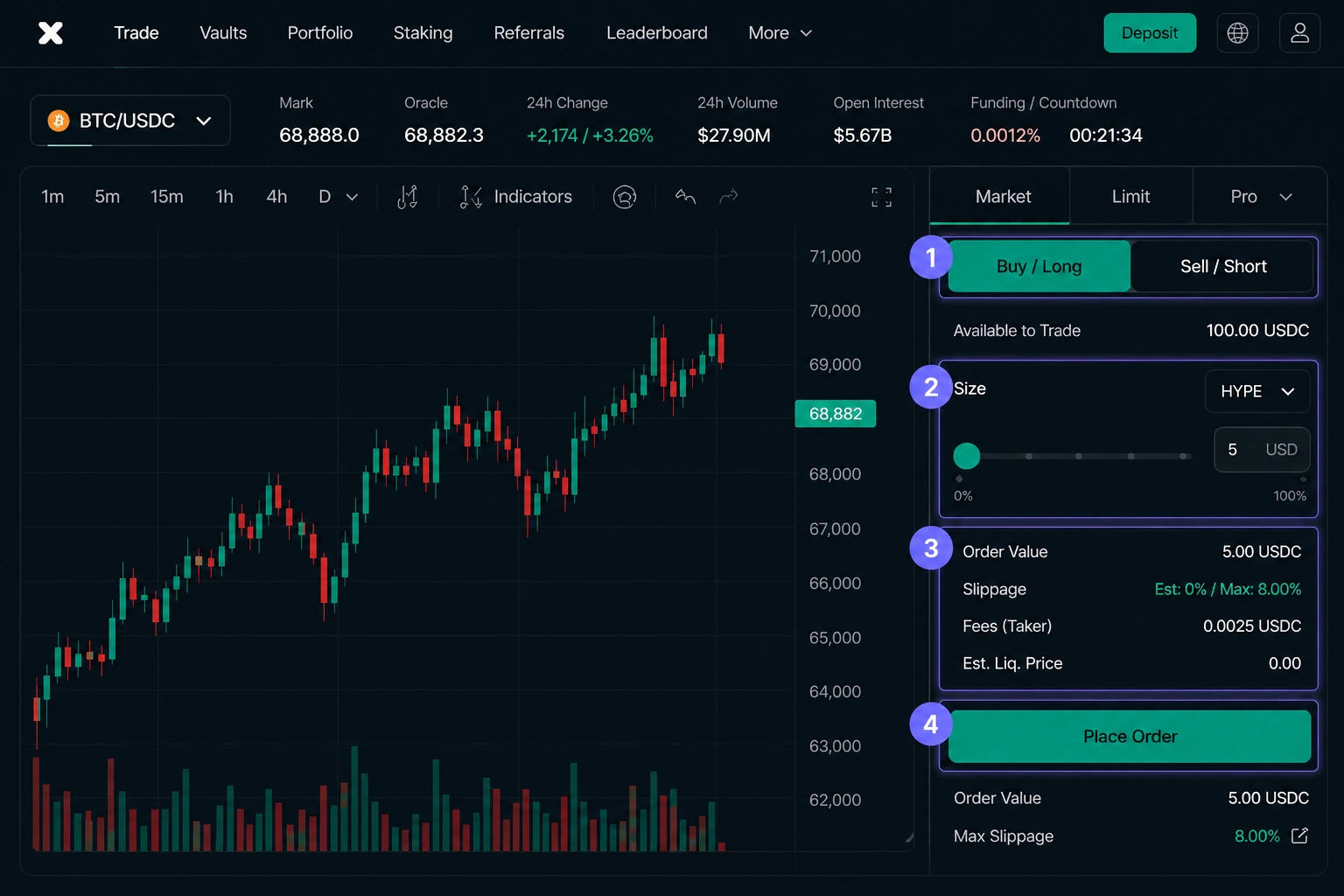
Choose Buy / Long and open a small position.
Start small: $5-$10 -> Buy / Long -> position size -> Place Order.
- 1Choose Buy / Long
- 2Set a small position size ($5-$10)
- 3Review your order parameters
- 4Tap Place Order
Start small to understand calmly. You can adjust position size later.
STEP 5
You're in the market
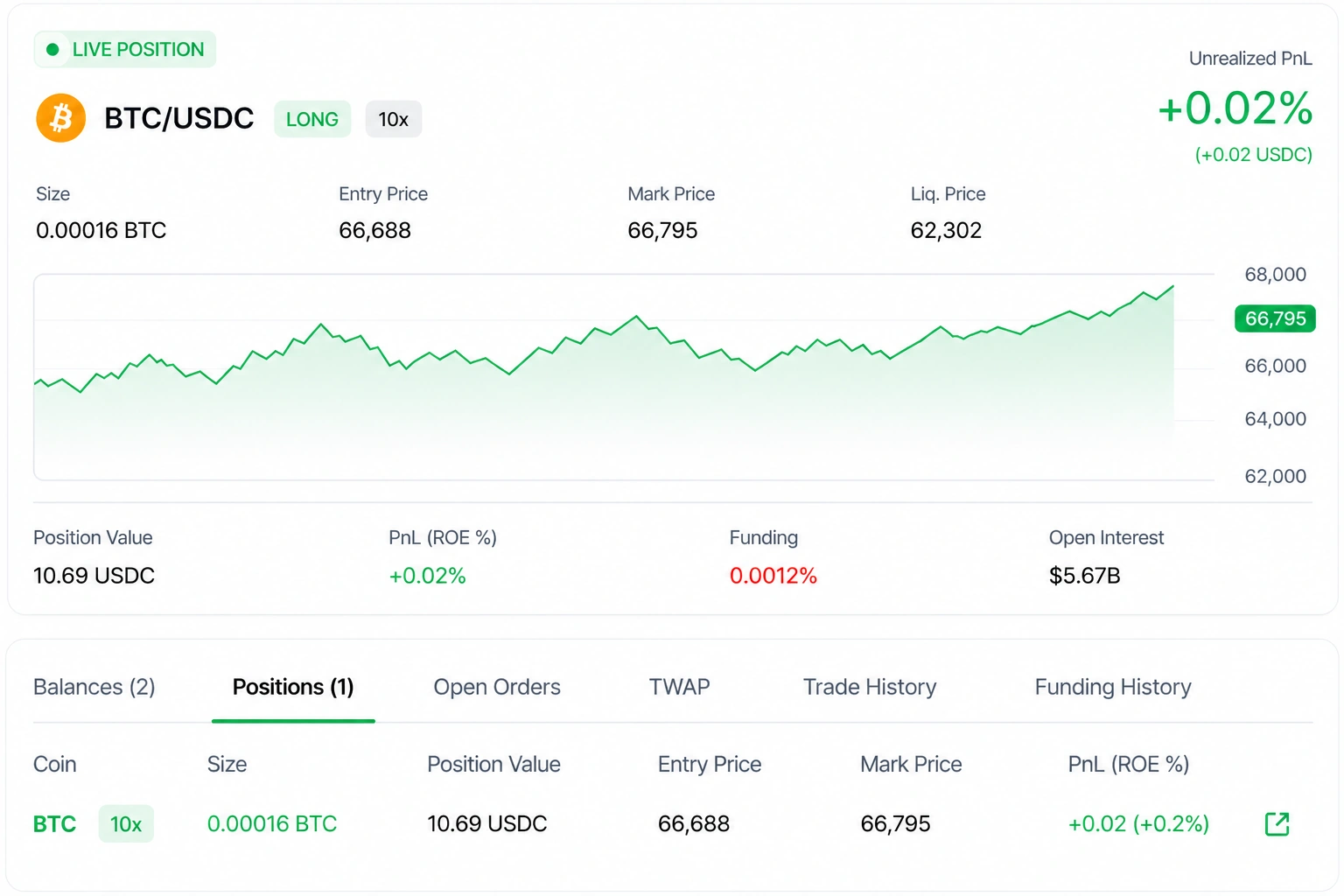
Your first position is now live.
You've taken the first step into on-chain trading. Track your performance, manage your risk, and grow with every trade.
- Live & updated in real-timeYour PnL, price, and stats update instantly.
- Full controlAdjust, add, or close your position anytime.
- Risk in your handsYour size and leverage. Your responsibility too.
- Built for tradersPowerful tools help you act faster and more precisely.

Great job, anon!Mission completedYou've opened your first position on Hyperliquid.
- 1Connect Wallet
- 2Add Funds
- 3Switch to Perps step
- 4Open Position
- 5Track Position
