Before you approve anything
- Connecting a wallet does not execute actions
- Connecting a wallet does not move funds
- Connecting a wallet does not grant trading permission
- Responsibility remains fully on the user
Before you click anything
Connecting a wallet defines how the system will recognize you and request approvals in the future. Connecting a wallet is access setup: it defines how the interface will reference you and request future approvals. It is not an action.
Your wallet = your account
On Hyperliquid, you do not create an account - your wallet is your account.
That means:
- you fully control your funds
- there is no password recovery
- transactions cannot be reversed
If you lose access to your wallet, you lose access to your funds.
It is not a login, and it does not shift responsibility to the system.
The "Connect wallet" button

Clicking "Connect" sets the wallet address that the system will use as a reference for all future actions and approvals.
At this point
- no message is signed
- no permission scope is granted
Screen: Wallet selection
This screen selects how future actions will be authorized, not whether actions are allowed.
You are not granting permissions here - you are choosing the environment that will be used for future approvals.
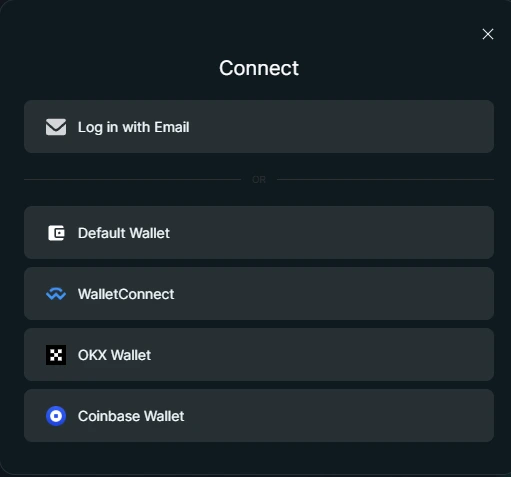
You are choosing the environment that will be used for future approvals.
Authorization model comparison
The word "account" may appear in the interface, but technically this is an access identity used for session continuity, not a custodial or site-managed account.
Choose your access path
You are choosing how future actions will be authorized.
- Email-based access — Session continuity without wallet signatures
- Wallet-based access — Direct signature authority via your wallet
Checkpoint
- No action has been approved yet
- Email access defines session continuity
- Wallet access defines the signature path
Key idea
Connecting a wallet defines how actions will be authorized - it does not perform any action itself.
Email-based access
Submitting an email creates an access identity used for interface state and session continuity. It does not approve actions or grant trading permissions.
Step 1 - Email submission
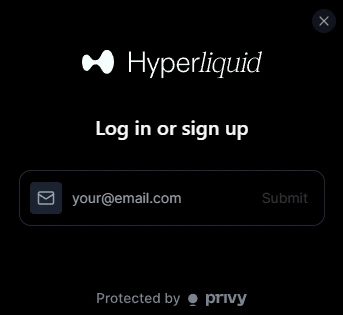
This screen completes the access setup step.
Wallet-based access
Wallet-based access means the interface connects directly to a wallet you control. Authorization happens through wallet signatures, not through site-managed identities.
Recommended wallet for this guide: MetaMask.
Keep your recovery phrase safe
When you create a wallet, you will get a recovery phrase (usually 12 words).
This is the only way to restore access to your funds.
- never share it
- never store it online
- write it down and keep it safe
Screen: Wallet connection approval (MetaMask - Recommended)
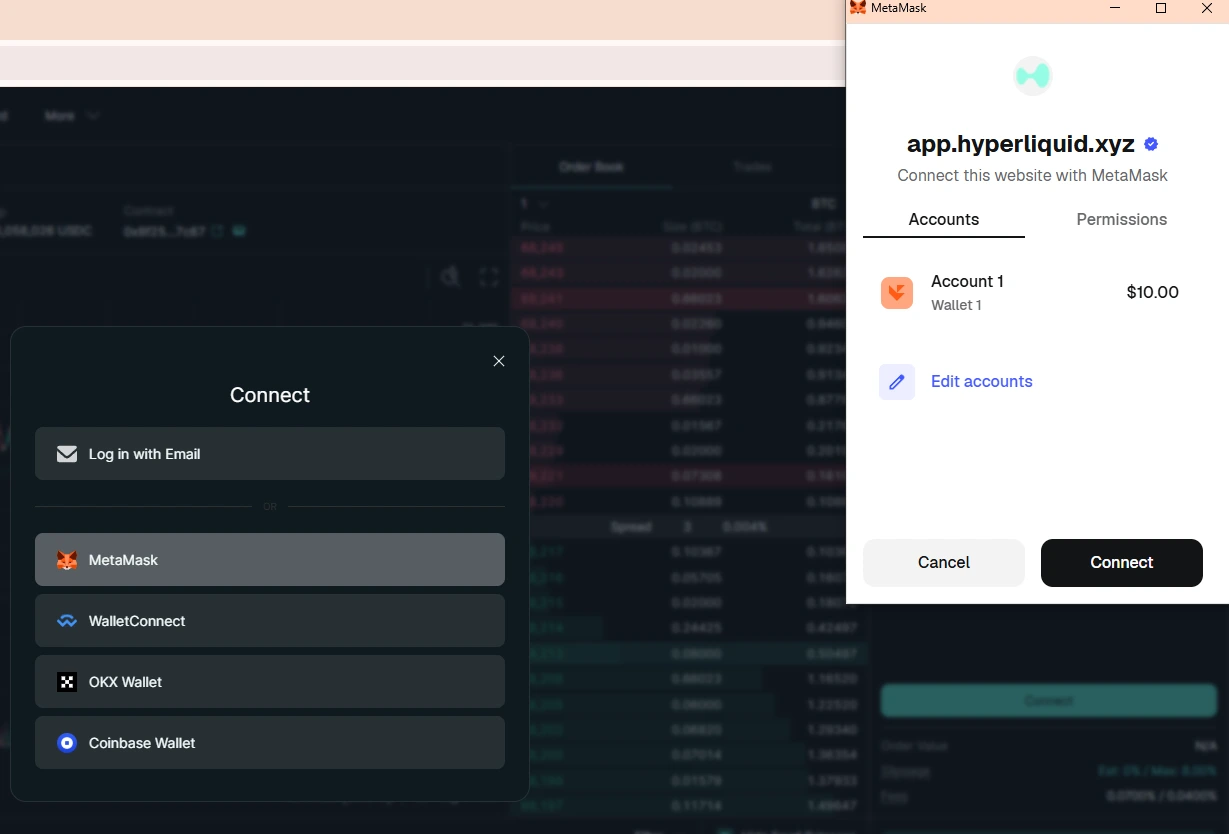
In this example, the selected wallet is MetaMask (recommended). This confirmation screen belongs to your wallet, not to Hyperliquid. Unlocking your wallet allows it to respond to the connection request.
Unlocking the wallet allows it to respond to the connection request - nothing else is approved at this point.
What this approval allows
After this connection approval, the interface can view balances and activity for the selected address. This is required to display positions, orders, and current state. Actions still require explicit approval later.
Why wallets phrase permissions this way
Wallet prompts describe these permissions conservatively. "View balances" and "view activity" refer to reading on-chain state so the interface can display it.
Control remains with the wallet at all times.
Which wallet should you use?
- MetaMask - most common, widely supported
- Rabby - simpler interface, better network handling
If you are unsure, start with MetaMask.
Fastest way to get started
If you want to skip manual setup, you can use email login - a wallet is created for you automatically.
You can export it to a regular wallet later.
Next step
At this point, access setup is complete. The next step is to move funds into the trading environment.